
EZ Wishlist
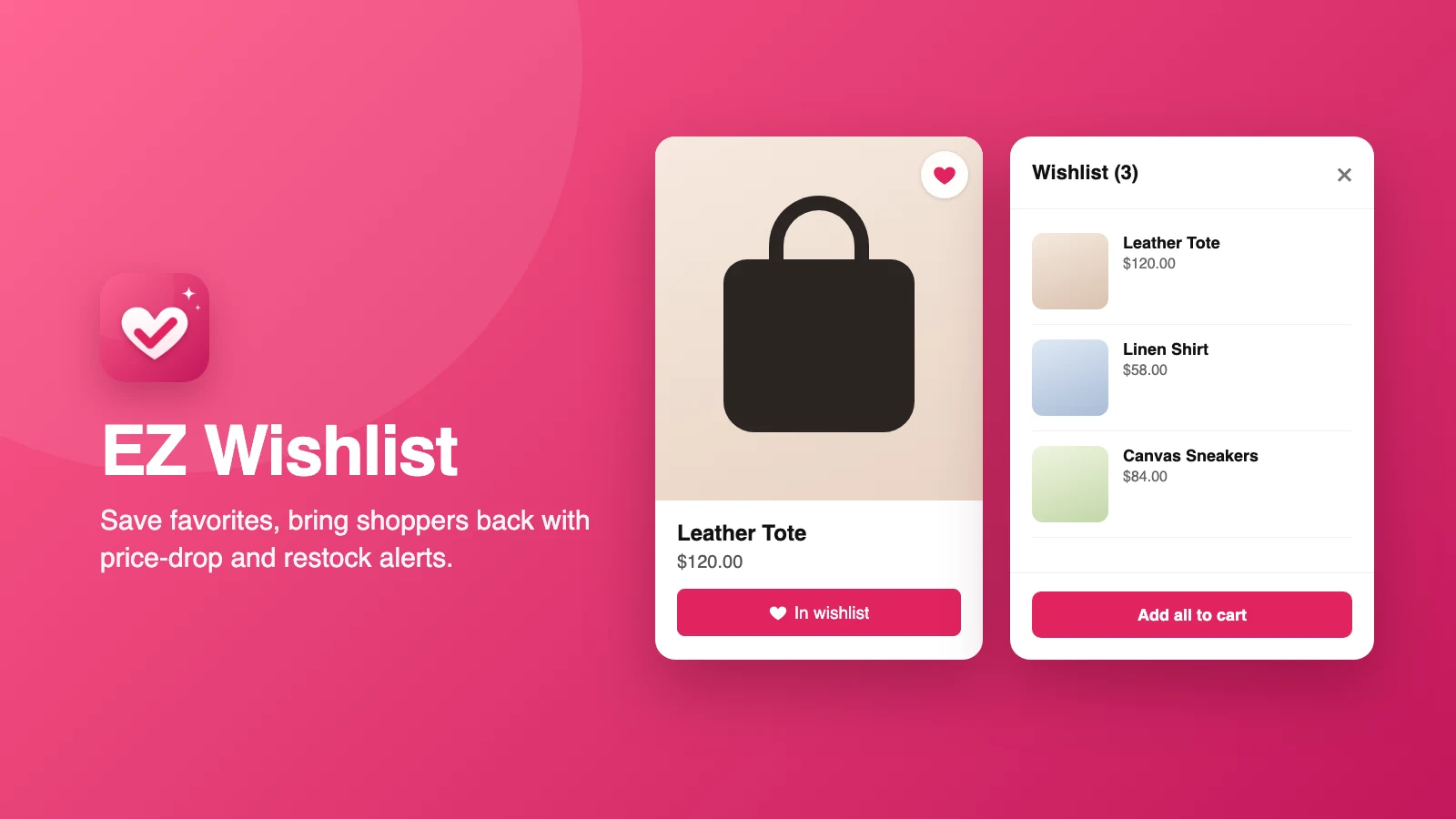
Let shoppers save what they love, then bring them back with price-drop and back-in-stock alerts. A wishlist for any Shopify theme, set up in two clicks.
- Platform
- Shopify, any theme
- Pricing
- From $25/month
- Free trial
- 7 days
- Languages
- 10
What it does
Every feature below works on every plan except where a plan is named. Plans differ in monthly actions and the extras.
- Product pages
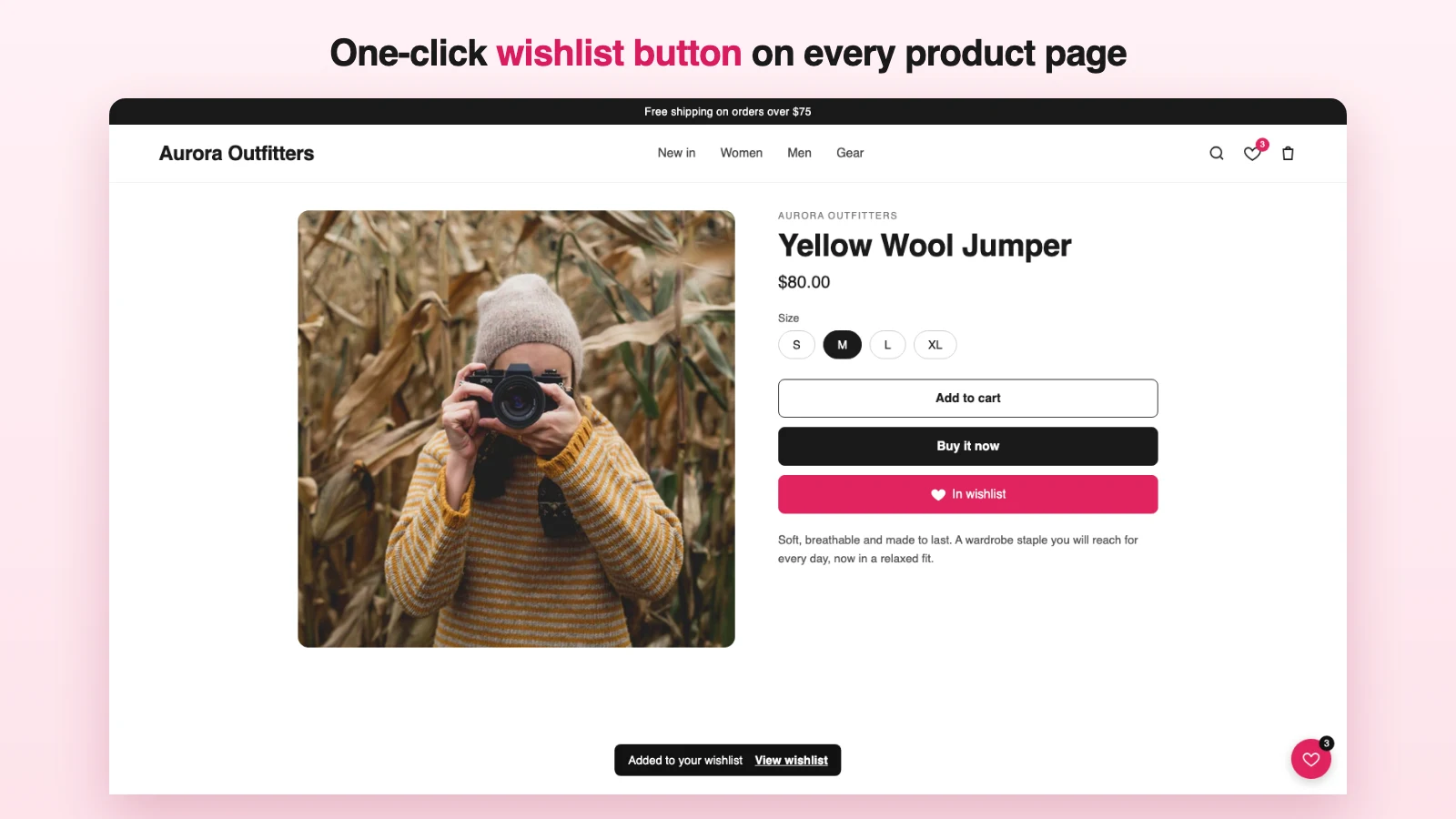
Wishlist button
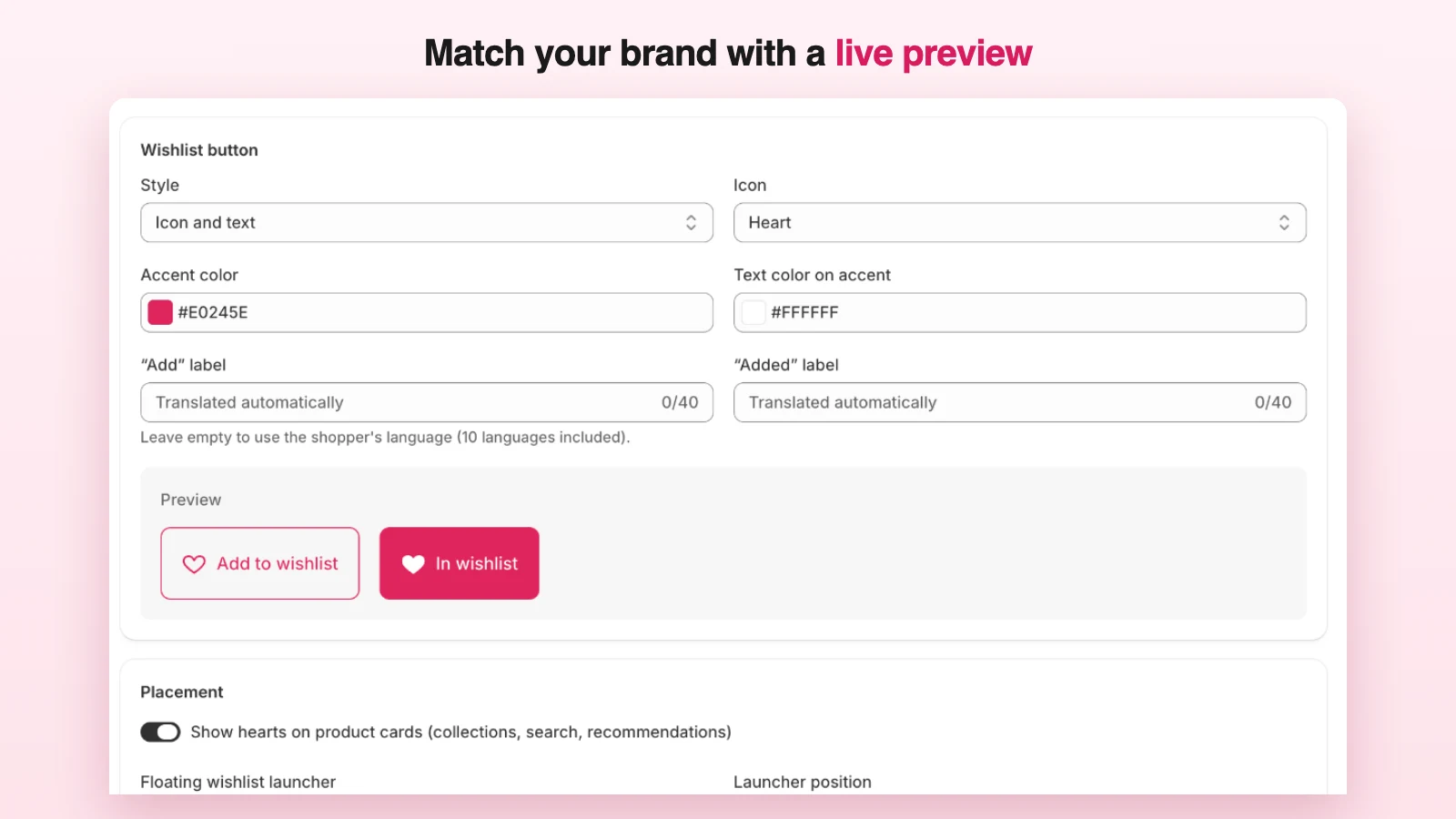
A theme block you place anywhere on the product template. Variant-aware, with heart, star or bookmark icons in your colours.
- Collections
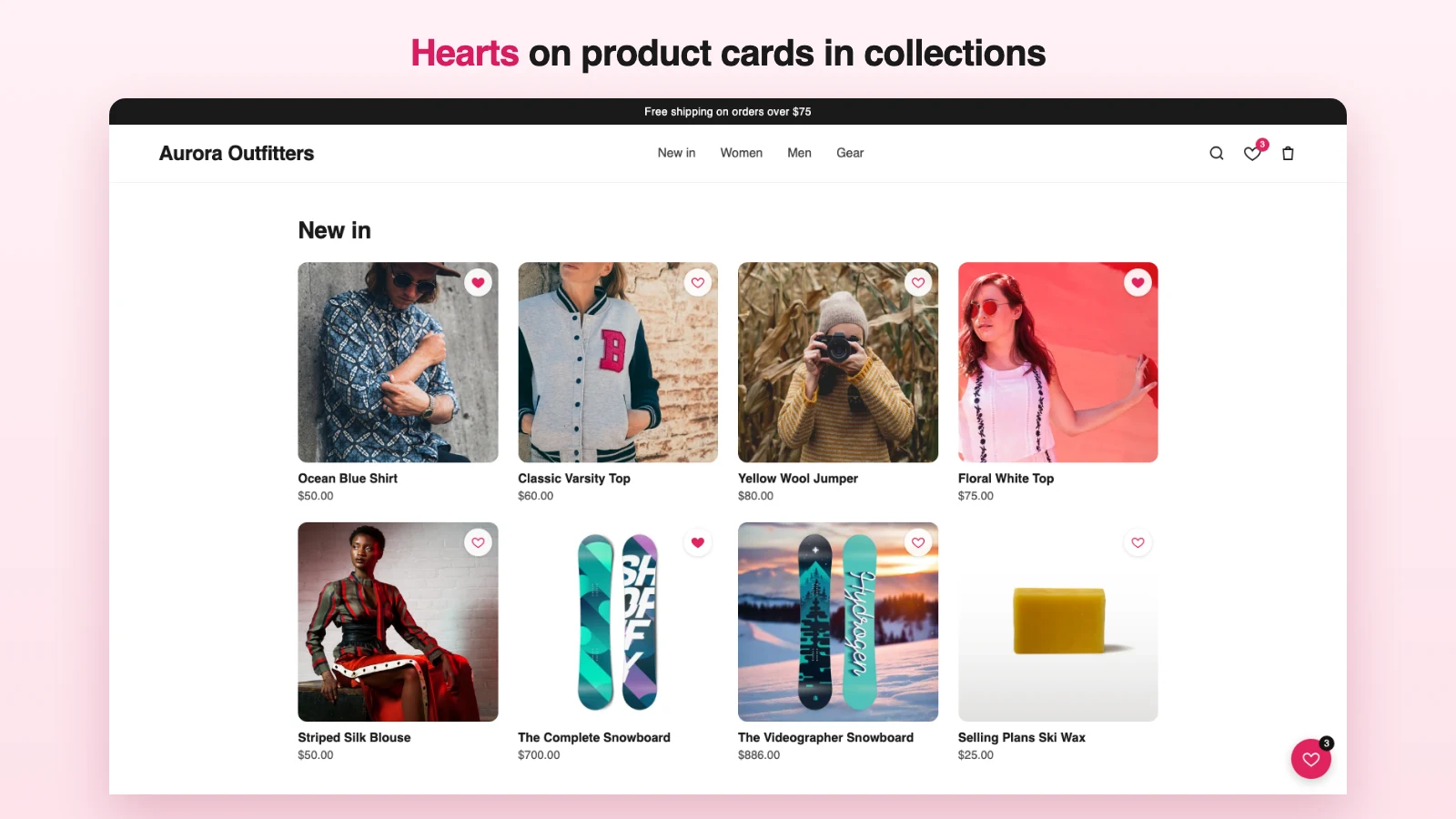
Card hearts
A heart on every product card, added automatically on collection and search pages. No theme code.
- Everywhere
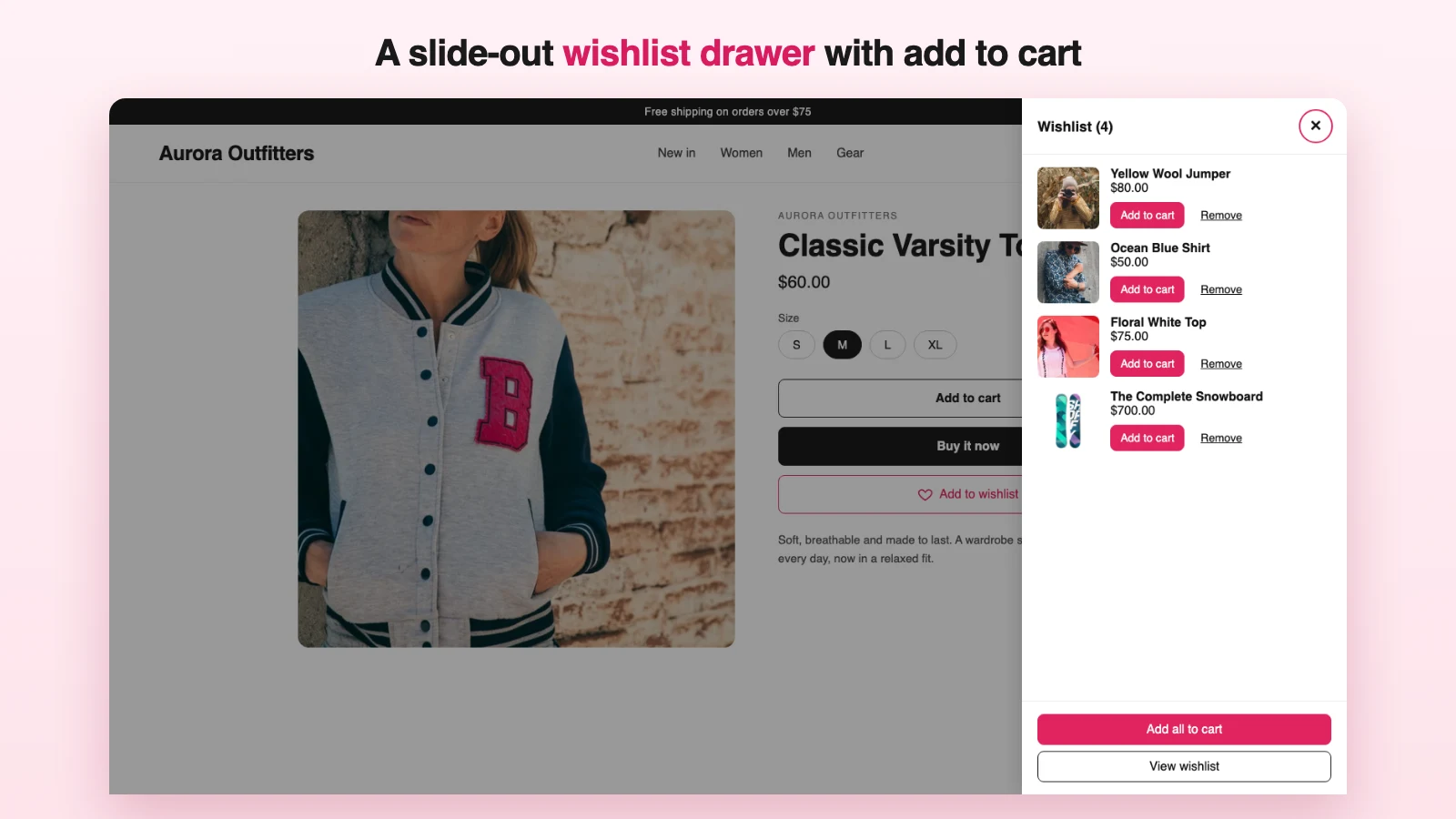
Drawer and launcher
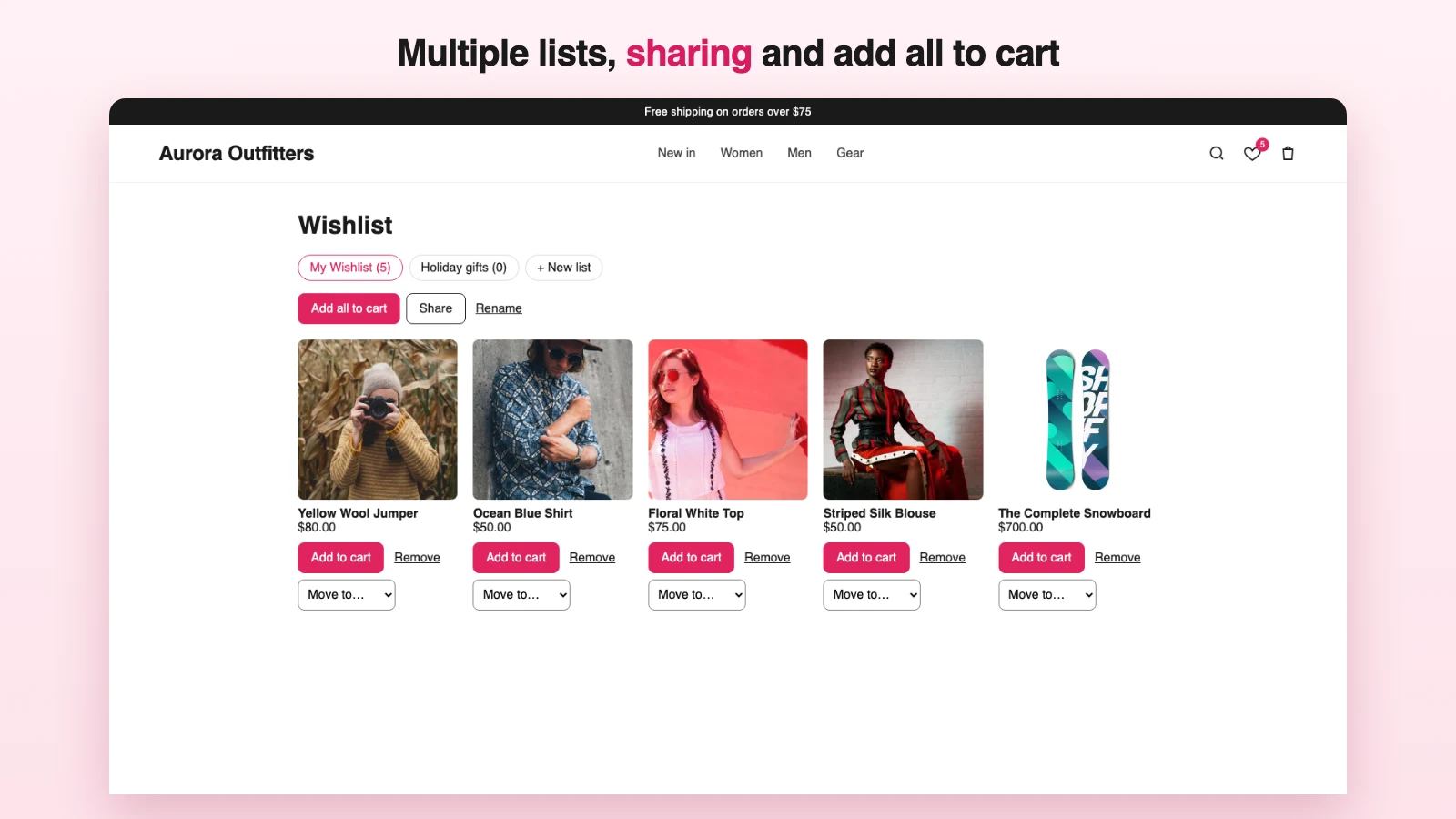
A floating launcher opens a slide-out wishlist with add to cart and add all to cart.
- Shoppers
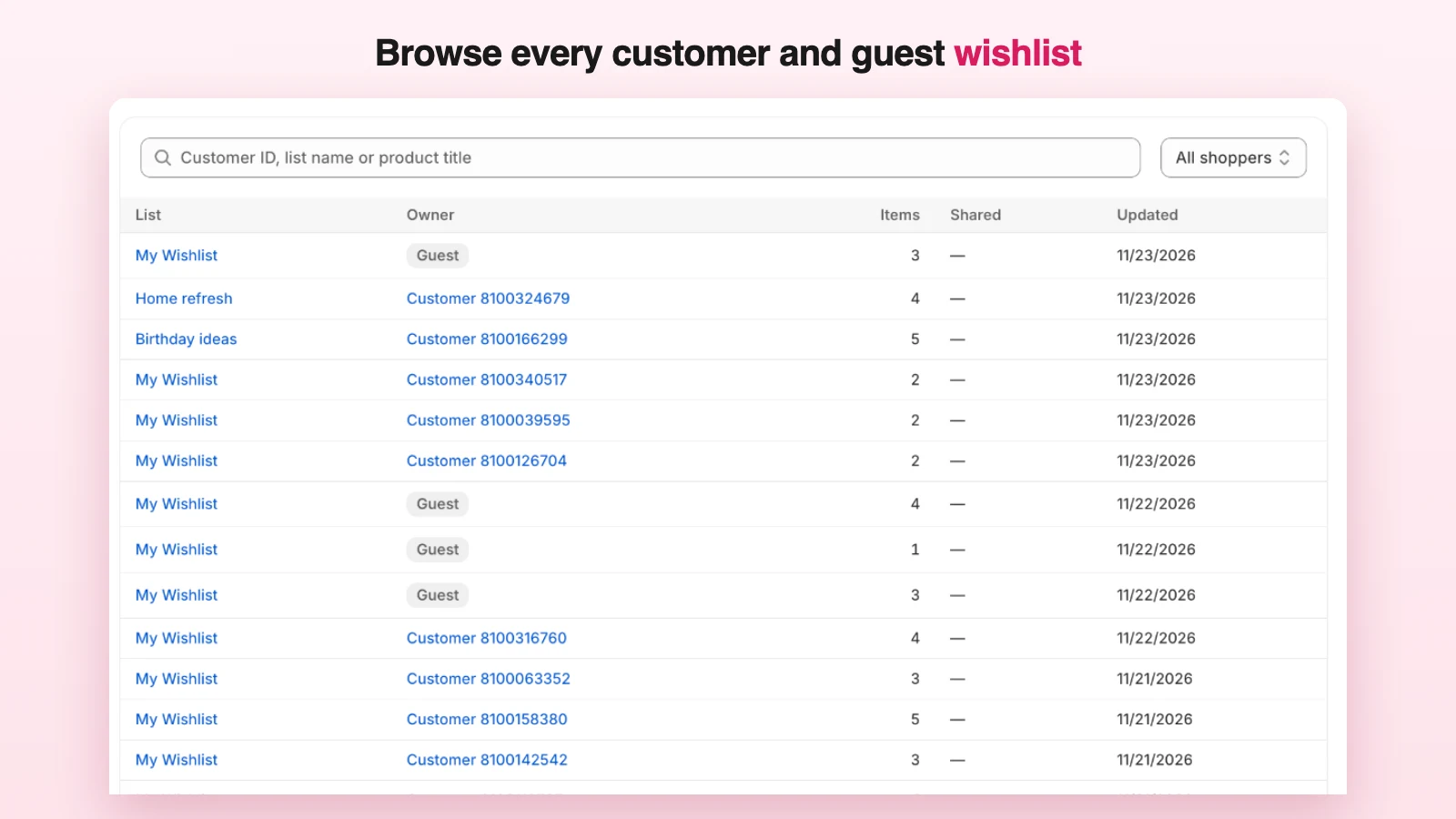
Guest lists that merge
Guests save without an account. When they log in, their list moves into their account on any device.
- Pro shoppers
Named lists and sharing
Multiple named lists per shopper and a public read-only share link for each list.
- Marketing
Price-drop and restock alerts
Three Shopify Flow triggers. Send Shopify Email, Klaviyo or SMS, tag customers or build segments.
- Insights
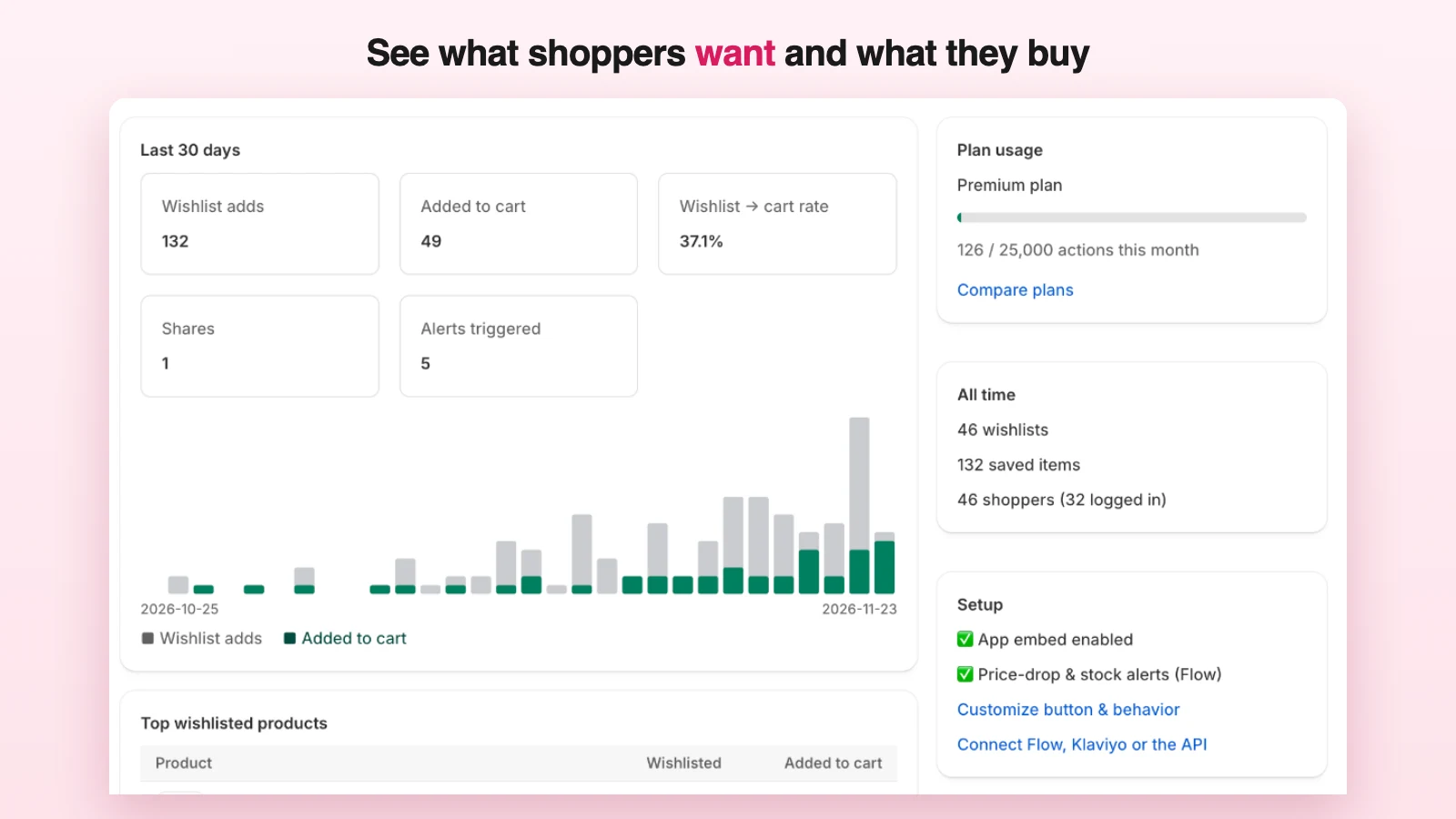
Admin dashboard
Wishlist adds, add to carts, conversion rate, shares, alerts and your top wishlisted products.
- Developers
SDK and REST API
A storefront JavaScript SDK with DOM events on every plan, and a REST API for headless stores on Premium.
- Global
Markets and languages
Prices in the shopper’s market currency and a storefront in 10 languages. No customer PII stored.
See it in action
Simple pricing
Billed monthly through Shopify, with a 7-day free trial on every plan.
Starter
$25 / month
- 3,000 wishlist actions / month
- Button, hearts, drawer, page
- Guest lists and sharing
- 10 named lists per shopper
- Flow alerts and JavaScript SDK
Pro
$50 / month
- 10,000 wishlist actions / month
- Everything in Starter
- 25 named lists per shopper
- CSV export
Premium
$90 / month
- 25,000 wishlist actions / month
- Everything in Pro
- 50 named lists per shopper
- REST API for headless, apps and CDPs
An action is one product saved to a wishlist. Views, removals, shares and add to carts are free. Going over your limit never breaks the storefront: the admin warns you instead. Without an active plan the storefront stops accepting new saves.
Documentation
Setup for merchants, then the JavaScript SDK and REST API for theme developers and headless builds.
Getting started
- Install EZ Wishlist from the Shopify App Store and pick a plan. Every plan starts with a 7-day free trial.
- Open the app. The Dashboard checks your theme: click Enable app embed and save the theme. This turns on collection hearts, the floating launcher and the drawer.
- In the theme editor, open a product page, click Add block and add Wishlist button under the buy buttons. Save.
- Optional: add the Wishlist link block to your header, and turn on the alerts in Integrations if you want price-drop and back-in-stock messages.
Shoppers can now save products. Their wishlist page lives at /apps/wishlist on your store, for example your-store.com/apps/wishlist. Add it to your menu like any other link.
Settings
Everything is in Settings inside the app. Changes reach the storefront straight away; no theme edits needed.
| Setting | What it does |
|---|---|
| Button style | Icon and text, icon only or text only. Icon: heart, star or bookmark. Background and text colour. |
| Button labels | Replace “Add to wishlist” and “In wishlist”. Leave empty to use the shopper’s language. |
| Collection hearts | Show a heart on product cards on collection and search pages. |
| Launcher | A floating wishlist button at the bottom right or left, or none. |
| Guest wishlists | Let shoppers save without an account. Off = shoppers are asked to log in. |
| Multiple lists | Let shoppers create named lists such as “Birthday” or “Home”. |
| Sharing | Let shoppers share a read-only link to a list. |
| Toasts | Show a short confirmation when an item is saved or removed. |
| Alerts | Fire the price-drop and back-in-stock Flow triggers. |
| Custom CSS | Up to 5,000 characters of CSS loaded with the wishlist on your storefront. |
Theme blocks
| Block | Where | What it does |
|---|---|---|
| EZ Wishlist | App embeds | Loads the wishlist (under 10 KB of JavaScript), collection hearts, launcher and drawer. Required. |
| Wishlist button | Product template | The save button. Follows the selected variant. |
| Wishlist link | Header or any section | A link with a live item count that opens the wishlist drawer. |
Hearts are added to product cards automatically. If your theme uses unusual card markup, set cardSelector with the SDK config, or place buttons yourself with the markup hooks below.
Shopify Flow alerts
EZ Wishlist adds three triggers to Shopify Flow. Each carries the customer and the product, so a workflow can email, text, tag or segment.
| Trigger | Fires when |
|---|---|
| Wishlist item added | A logged-in shopper saves a product. |
| Wishlist item price dropped | The price of a saved variant goes down. |
| Wishlist item back in stock | A saved variant that was sold out becomes available again. |
Example: a price-drop email
- In Shopify Flow, create a workflow and choose the trigger Wishlist item price dropped.
- Add the action Send marketing email (Shopify Email), or a Klaviyo or SMS action.
- Use the product title, the new price and the customer in the message, then turn the workflow on.
Alerts go to logged-in shoppers only, since guests have no customer record to message.
JavaScript SDK
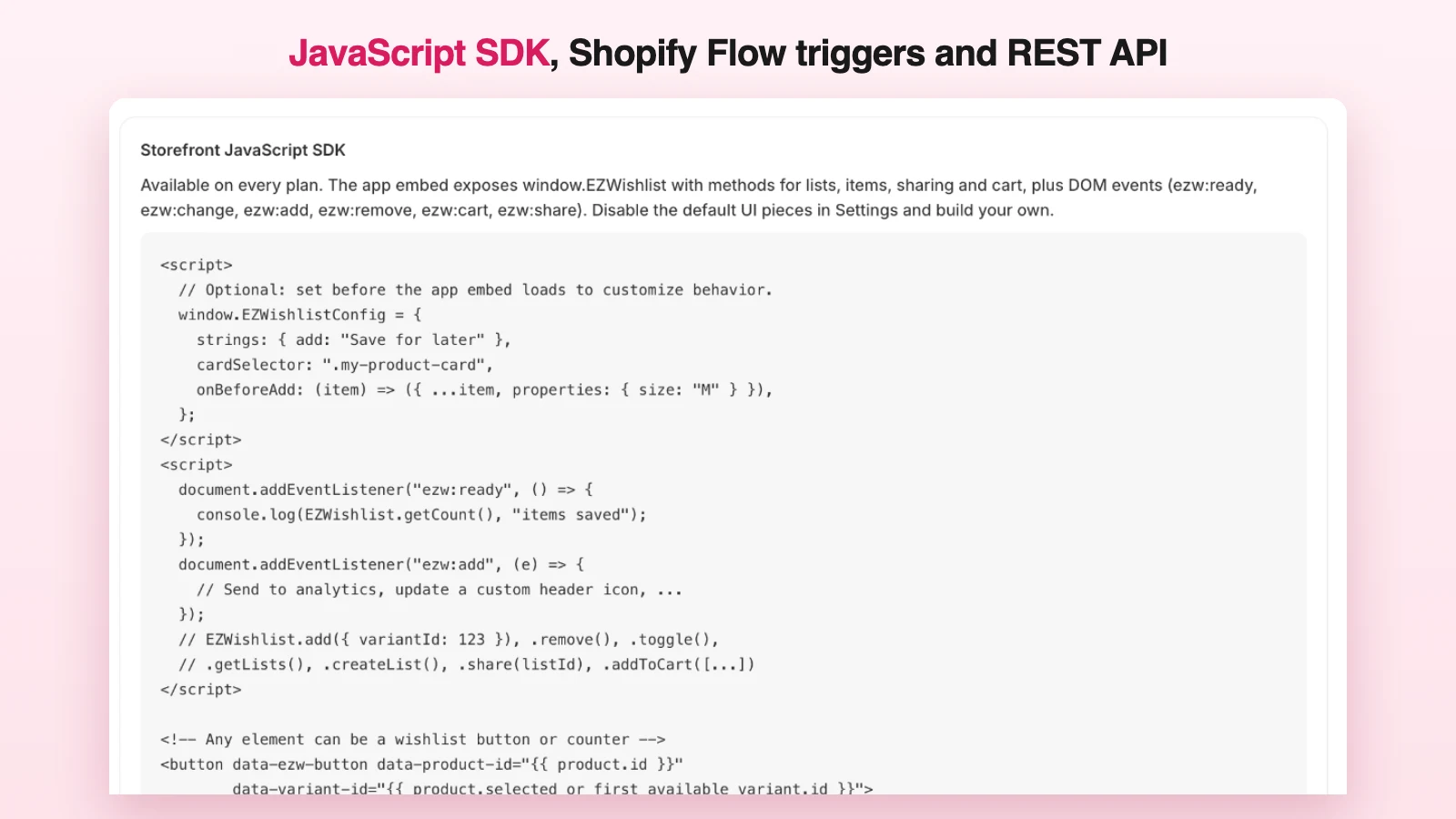
Available on every plan once the app embed is on. The SDK lives at window.EZWishlist.
Customize before load
Define window.EZWishlistConfig in your theme before the app embed runs, for example in theme.liquid:
<script>
  window.EZWishlistConfig = {
    strings: { add: "Save", added: "Saved" },      // override any storefront text
    settings: { launcher: "none", toasts: false },  // override admin settings on this theme
    cardSelector: ".my-card",                       // where collection hearts are injected
    disableAutoInject: false,                       // true = no automatic collection hearts
    onBeforeAdd(item) {                             // return false to cancel, or a modified item
      return { ...item, properties: { engraving: "Hi" } };
    },
    renderItem(item, sdk) {                         // custom wishlist-page card (string or Node)
      return `<a href="/products/${item.handle}">${item.title}</a>`;
    },
  };
</script>
Markup hooks
{%- comment -%} Any element becomes a wishlist button {%- endcomment -%}
<button data-ezw-button
        data-ezw-scope="variant"
        data-product-id="{{ product.id }}"
        data-variant-id="{{ product.selected_or_first_available_variant.id }}"
        data-product-handle="{{ product.handle }}">
  <span class="ezw-button__icon"></span><span class="ezw-button__label"></span>
</button>

<span data-ezw-count></span>                  {%- comment -%} live item count {%- endcomment -%}
<button data-ezw-drawer>My wishlist</button>  {%- comment -%} opens the drawer {%- endcomment -%}
<a href="{{ routes.root_url }}apps/wishlist">Wishlist</a>
data-ezw-scope is variant or product. Buttons get aria-pressed and an is-active class. Call EZWishlist.scan() after rendering markup yourself.
Methods
Mutating methods return Promises. IDs may be numeric or Shopify GIDs.
| Method | Description |
|---|---|
ready(cb) | Run cb(EZWishlist) once the shopper’s lists are loaded |
getState() | { loaded, loggedIn, lists, count } |
getLists() | Lists with items { id, productId, variantId, handle, title, quantity, note, properties, addedAt } |
getCount() | Number of distinct saved variants |
isInWishlist(query) | { variantId | productId | handle, listId? } → boolean |
findItems(query) | Matching items, each with listId |
add(input) | { variantId?, productId?, handle?, listId?, quantity?, note?, properties?, source? }. The variant is resolved from handle if omitted. Idempotent |
remove(input) | { itemId } or { variantId, listId? }: one item, or a variant from one or all lists |
toggle(input) | Add or remove; resolves true when added |
updateItem(itemId, patch) | { quantity?, note?, properties? }; properties up to 2 KB of JSON |
moveItem(itemId, toListId) | Move an item between lists |
createList(name) | Also renameList(id, name) and deleteList(id) |
share(listId) | Resolves the public read-only URL; unshare(listId) revokes it |
addToCart(items) | [{ variantId, quantity? }]: adds through the Ajax Cart and tracks the conversion |
openDrawer() | Also closeDrawer() |
fetchProduct(handle) | Cached /products/{handle}.js with localized prices |
setVariant(variantId, root?) | Point product-page buttons at a variant (custom variant pickers) |
refresh() | Reload lists from the server |
loadExtras() | Preload list management and page code (otherwise loaded on demand). Adds EZWishlist.formatMoney(cents) |
on(event, cb) | Subscribe; returns an unsubscribe function. Also off(event, cb) |
Events
Each event is also dispatched on document as ezw:<name> with the payload in event.detail.
| Event | Payload |
|---|---|
ready | state |
change | state, after any add, remove or list change |
add | { item, created } |
remove | the remove input |
share | { listId, url } |
cart | { items, response }: refresh your cart drawer here |
drawer | { open } |
error | the Error |
document.addEventListener("ezw:cart", () => {
  // e.g. re-render your theme's cart drawer
  document.dispatchEvent(new CustomEvent("cart:refresh"));
});
Errors
Rejected Promises carry an Error with a code: LOGIN_REQUIRED, PLAN_LIMIT, LIST_LIMIT, ITEM_LIMIT, FEATURE_UNAVAILABLE, PRODUCT_UNAVAILABLE, NOT_FOUND or INVALID_INPUT.
How the SDK talks to the app
The SDK calls /apps/wishlist/api on your store through the Shopify app proxy. Shopify signs each request and the logged-in customer is read from that signature, never from the request body. Guests are identified by a random ID kept in localStorage, and their lists merge into their account when they log in.
REST API
On the Premium plan, for headless storefronts (Hydrogen), mobile apps, ERPs and CDPs. Create keys in Integrations & API. A key is shown once; only its SHA-256 hash is stored. Call the API from your servers only, never from theme code.
Base URL:      https://ez-wishlist.enelcommerce.com/api/v1
Auth:          Authorization: Bearer ezw_<secret>
Rate limit:    120 requests / minute / key  (429 RATE_LIMITED)
Content type:  application/json
Every response is { "ok": true, ... } or { "ok": false, "error": { "code", "message" } }. customerId, productId and variantId accept numeric IDs or Shopify GIDs.
Wishlists
| Request | Body or query | Notes |
|---|---|---|
GET /wishlists | ?customerId=&page=&limit= | Newest first, with items. limit up to 250 |
POST /wishlists | { "customerId": "123", "name": "Birthday" } | A customer’s first list becomes their default |
GET /wishlists/:id | ||
PATCH /wishlists/:id | { "name": "New name" } | |
DELETE /wishlists/:id | Default lists can’t be deleted | |
POST /wishlists/:id/items | { "variantId", "productId"?, "quantity"?, "note"?, "properties"? } | Checked against your catalog. Idempotent: 200 if already saved, 201 if created |
PATCH /wishlists/:id/items/:itemId | { "quantity"?, "note"?, "properties"? } | |
DELETE /wishlists/:id/items/:itemId |
curl -X POST "https://ez-wishlist.enelcommerce.com/api/v1/wishlists/$LIST_ID/items" \
  -H "Authorization: Bearer $EZW_KEY" \
  -H "Content-Type: application/json" \
  -d '{"variantId":"gid://shopify/ProductVariant/456","note":"size M"}'
Analytics
| Request | Returns |
|---|---|
GET /stats?days=30 | Totals, period metrics (adds, add to carts, conversion rate, shares, alerts), monthly usage and the top 25 products |
GET /events?after=&type=&limit=100 | The activity feed. Types: ADD, REMOVE, ADD_TO_CART, SHARE, PRICE_DROP, BACK_IN_STOCK. Pass the returned next as after to stream new events in order |
Errors
| Code | Status |
|---|---|
INVALID_INPUT | 400 |
UNAUTHORIZED | 401 |
PLAN_REQUIRED | 402 |
NOT_FOUND | 404 |
LIST_LIMIT, ITEM_LIMIT | 409 |
PRODUCT_UNAVAILABLE | 422 |
RATE_LIMITED | 429 |
Data and privacy
- For logged-in shoppers EZ Wishlist stores only the Shopify customer ID. No names, emails or addresses.
- Guests are a random ID in their own browser.
- Saved items hold product and variant IDs, quantity, an optional note and the date added.
- Shopify’s customer data-erasure requests are honoured automatically. When you uninstall, Shopify asks the app to erase your shop’s data 48 hours later, and everything is deleted.
- Prices always come from Shopify in the shopper’s market currency.
Support
Questions or a feature request: email hi@enelcommerce.com. We reply within one business day.
How the app handles data: EZ Wishlist privacy policy.