
EZ Posts & Comments
Turn your Shopify blog into a community. Customers start topics, comment and reply on articles, and you moderate everything from the admin.
- Platform
- Shopify blogs
- Pricing
- $25/month
- Free trial
- 7 days
- Setup
- Theme blocks, no code
What it does
Topics are real Shopify blog articles and comments live on the article, so everything stays in your store.
- Posts
Customer topics
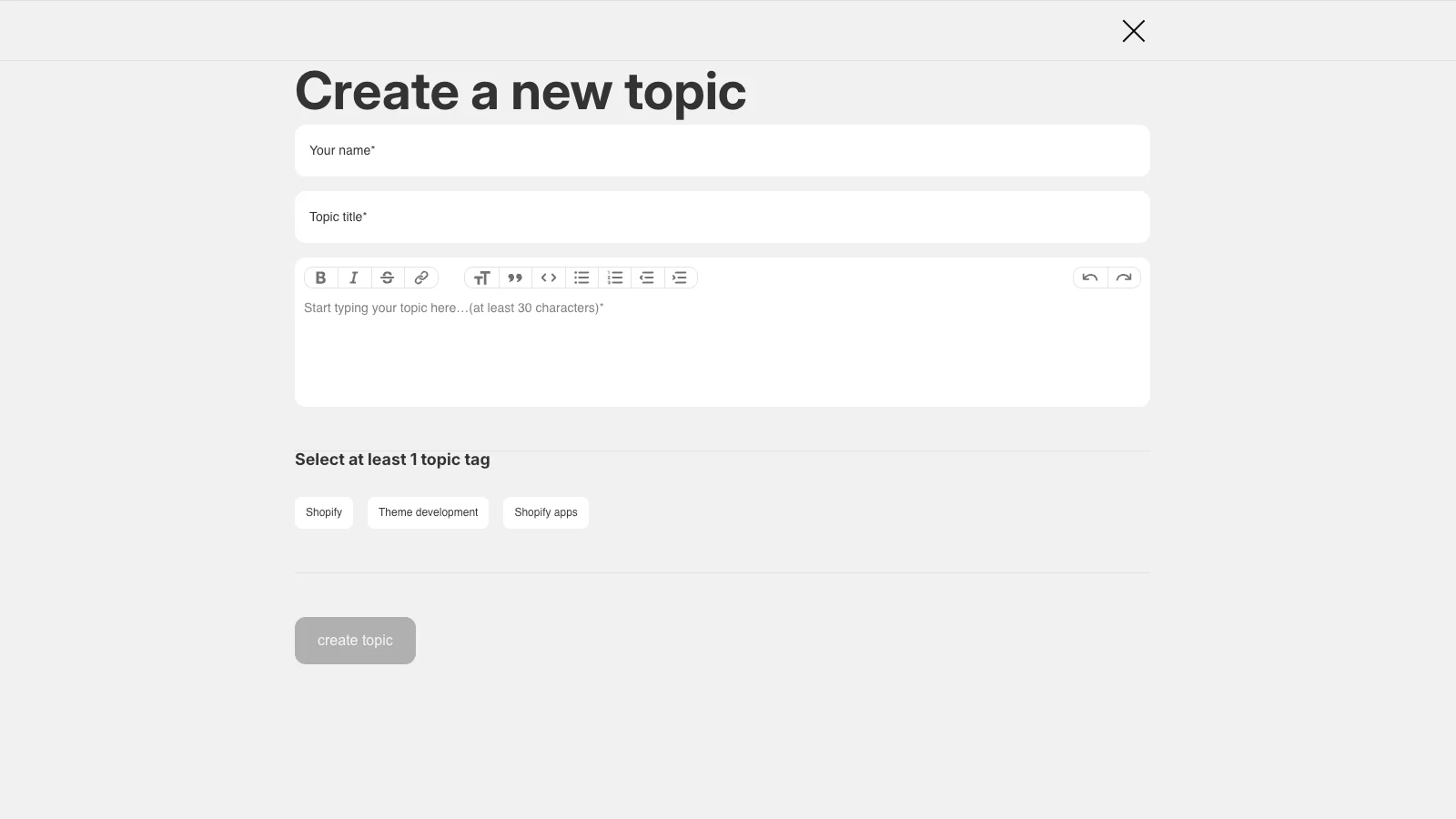
Visitors and customers start new topics from a form on your blog. Each topic becomes a blog article.
- Moderation
Auto-publish or review
Publish topics straight away, or hold them for approval and show a thank-you message.
- Access
Login when you want it
Require shoppers to log in before posting, or let anyone start a topic.
- Comments
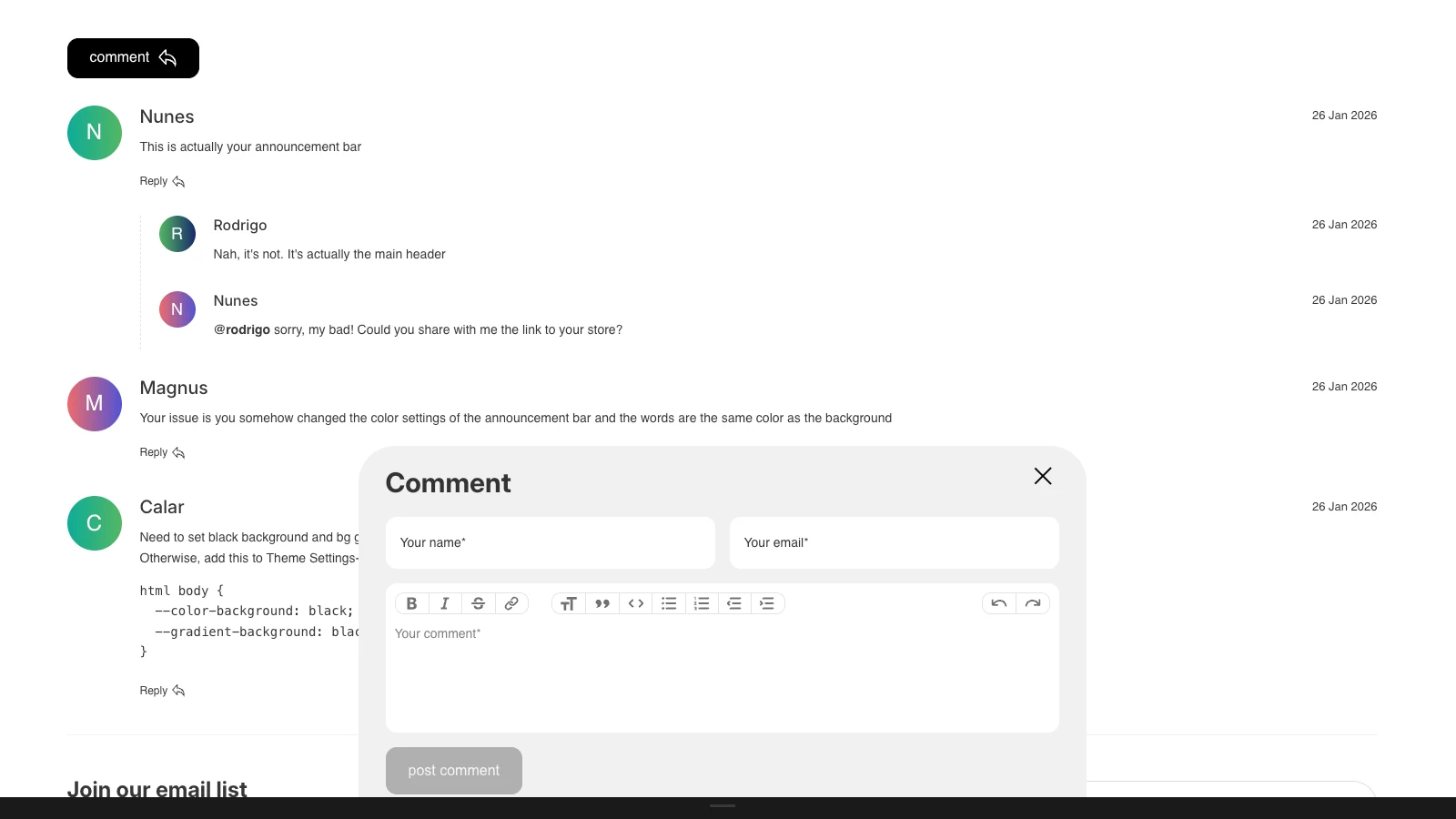
Threaded replies
Comments and replies on every article, with coloured avatars and a clean pop-up form.
- Editor
Rich text
Bold, italics, links, lists, quotes and code in topics and comments.
- Tags
Topic tags
Offer your own list of tags as checkboxes so topics land in the right place.
- Admin
One dashboard
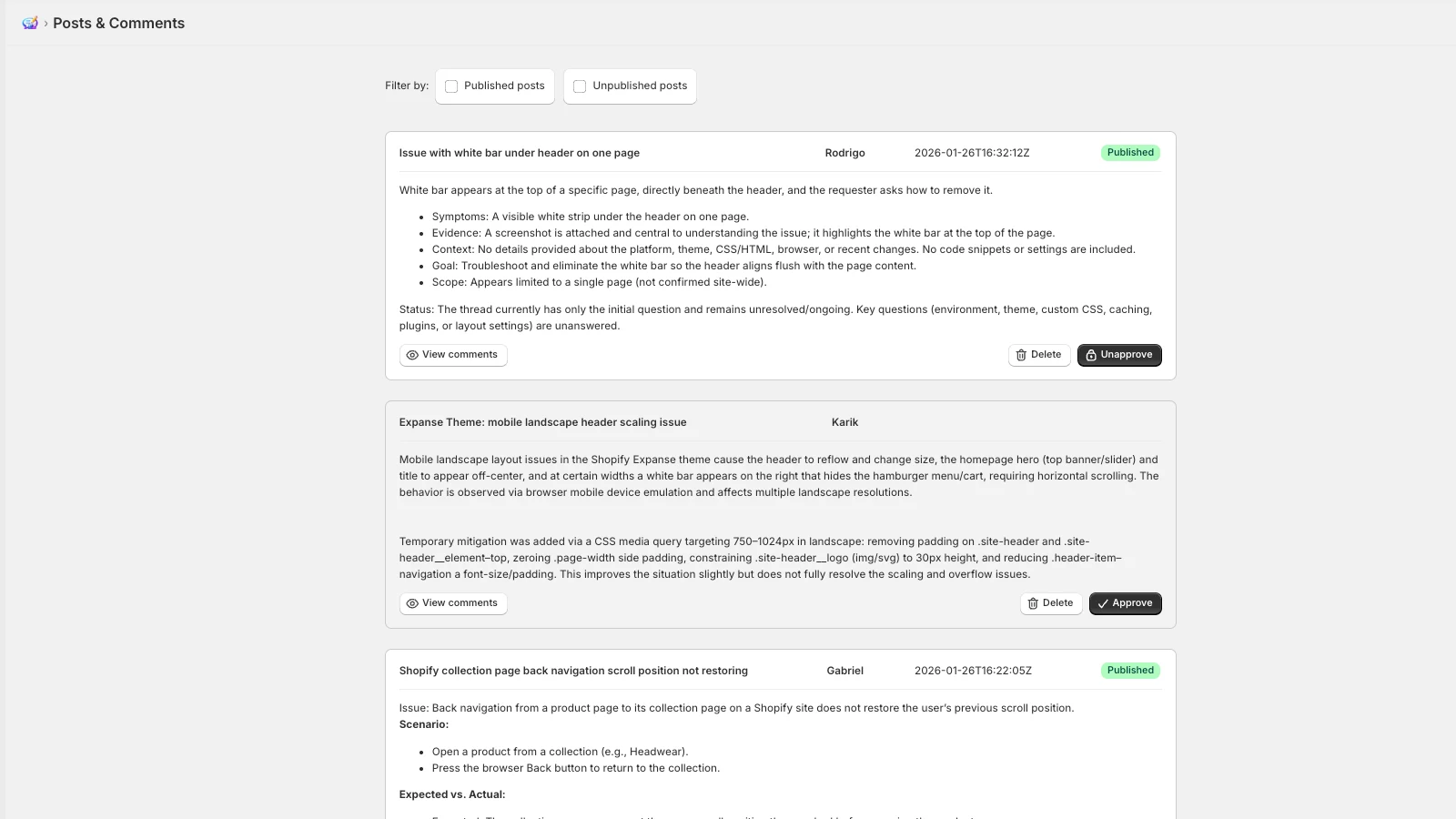
Filter published and unpublished topics, publish or unpublish, delete, and manage comments.
- Design
Fits your theme
Logo, labels, corner radius, padding and colours are all theme editor settings.
See it in action
Simple pricing
One plan with every feature, billed through Shopify, with a 7-day free trial.
Pro
$25 / month
- Visitors and customers create topics
- Auto-publish or approve topics
- Comments and replies
- Rich text editor
- Design settings to match your store
Or pay yearly: $250/year, about two months free.
Documentation
Four theme editor steps, then moderation from the app. No code needed.
Getting started
- Install EZ Posts & Comments from the Shopify App Store and start your 7-day free trial.
- Turn on the app embeds (required).
- Set up the new topic form: pick the blog topics go to and whether they publish straight away.
- Add the New Topic button to your blog page and Topic comments to your article page.
The app’s Instruction page links straight to the right place in your theme editor for each step.
Turn on the app embeds
- In your Shopify admin, open Online Store → Themes → Customize.
- Open App embeds in the left sidebar.
- Turn on App Assets and New Topic Form, then save.
Both embeds are required. Without them the button and comments have nothing to load.
New topic form
Click New Topic Form in App embeds to change its settings. These decide where topics go and what happens after someone posts.
| Setting | What it does |
|---|---|
| Logo | Shown in the top-left corner of the form. |
| Heading | The form title. Default: Create a new topic. |
| Blog | The blog new topics are saved to. Pick one before going live. |
| Auto-publish | On: topics publish straight away and the author is taken to their topic. Off (default): topics wait for your approval and the success message shows. |
| Topic tags | One tag per line. They show as checkboxes and authors pick at least one. |
| Success message | Shown after posting when topics wait for approval. |
| Field labels | Author, topic title, topic content, topic tags and the submit button. |
| Corner radius | For the pop-up, buttons and form fields. |
Topic content needs at least 30 characters. Every topic is tagged app_ez-posts-comments on the article.
Moderating
The app’s home page lists every topic created with EZ Posts & Comments.
- Filter by Published posts or Unpublished posts.
- Publish a topic waiting for approval, or Unpublish one that’s live.
- Delete topics you don’t want.
- Open a topic’s comments to read and remove comments and replies.
Data and privacy
- Topics are saved as articles in your own Shopify blog.
- Comments, with the commenter’s name and email, are saved on the article in your store, in the
ez_bc.commentsmetafield. They stay in your store, not on our servers. - Comments show the commenter’s name only; their email isn’t displayed on your storefront.
Support
Questions or a feature request: email hi@enelcommerce.com. We reply within one business day.
How the app handles data: EZ Posts & Comments privacy policy.
Topic comments
Readers comment with their name and email, and can reply to any comment. Comments show straight away; remove any you don’t want from the app.
Comment.